11:15am, the chef announces the daily special. The chalkboard gets rewritten, but the menu online still shows yesterday’s dish.
With a digital menu, that gap disappears: you change the dish from your phone, and the guest who scans the QR code sees the new version straight away. Here is the routine to do it in 30 seconds, handle sold-out dishes mid-service and avoid the most common mistakes.
Reading time: about 6 minutes
1. What a menu that can’t keep up with your daily special costs you
2. Update your daily special in three steps
3. Sold-out dish: hide it mid-service
4. Prepare the week’s specials in advance
5. Allergens and translation: don’t forget them when the dish changes
6. PDF or website: why they can’t keep up
7. Readability on smartphones: 5 things to check
8. Mistakes to avoid mid-service
9. Find out whether your daily special catches the eye
10. The morning routine in a nutshell
11. Frequently asked questions about daily specials and digital menus
What a menu that can’t keep up with your daily special costs you
A living menu changes every day: a fish delivery, meat to use up, a chef’s suggestion decided at the last minute. With a paper menu or a PDF, every change forces a choice: reprint, or let the server correct it out loud at every table.
Either way, guests discover the problem at the worst moment, when they are choosing. And a daily special nobody sees sells less. That is a shame, because it often uses produce already in stock, which makes it a direct lever on your food costs.
An up-to-date menu, on the other hand, lets you push the right dish at the right time, remove what has run out and adjust a price without waiting for the printer.
Update your daily special in three steps
The QR code on your tables does not contain the menu, it contains an address. The menu itself is managed from a back office you can open on a computer or a smartphone. You make the change, and guests see the new version at their next scan. Nothing to reprint, no sticker to replace.
The morning update comes down to three steps:
- Open the right category, for example “Today’s specials”, from your phone. A few seconds.
- Replace the dish: name, price, short description, allergens, and a photo if you have one. Around twenty seconds.
- Save and check by scanning the QR code on a table. Your menu is up to date.
The routine takes one demo to learn. You can hand it to your sous-chef, your floor manager or a trained temp, with no risk of breaking the structure of the menu.
Good to know: your QR code supports stay valid after hundreds of menu changes, because the address they contain never changes.
Sold-out dish: hide it mid-service
As soon as the kitchen calls the last portion, hide the dish. It takes a few seconds, and your servers no longer have to repeat the same bad news at every table. If more stock arrives for the evening service, you switch it back on the same way.
Guests who browse an accurate menu make up their minds before the server arrives. Orders are taken faster, and the server keeps time to give advice. The menu prepares the decision, your team makes the sale: that is the idea behind add-on sales without online ordering.
Prepare the week’s specials in advance
The fastest update is the one you don’t have to make in the morning. With Appero, you can schedule the display of a product, a category or a whole section. Prepare the week’s daily specials on Monday, each one scheduled for its day, and they appear on their own.
Same logic for a set menu that should only show at lunchtime, or a dish that only exists for one service. In the morning, all that is left is the last-minute tweak.
Allergens and translation: don’t forget them when the dish changes
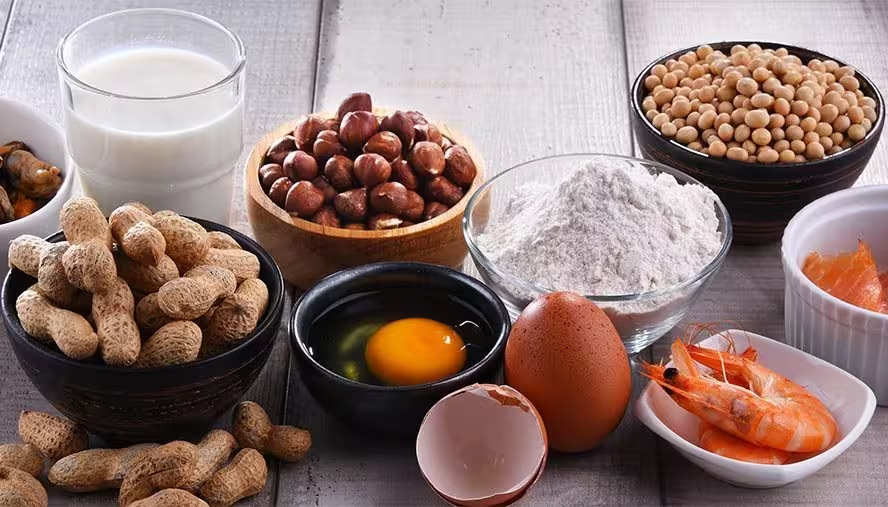
A new daily special means a new recipe. Its allergens must be filled in like the rest of the menu: the law makes no exception for specials. At Appero, the 14 regulated allergens are already in the admin area, so you simply tick the ones in the dish as you enter it. The details are in our article on allergens on a digital menu.
On the language side, the menu is shown in the language of the guest’s phone, and guests can change it themselves. Your daily special is translated along with the rest of the menu, with nothing to type twice. A real plus in tourist areas, where a dish name nobody understands is a dish nobody orders.
PDF or website: why they can’t keep up
A PDF is still the worst format for a menu that changes every day. You have to regenerate it and upload it again at every change, which quickly puts people off. On a smartphone, it forces guests to zoom and loads slowly on a weak network. Its text also works poorly with screen readers and translation tools.
Managing the menu from your website’s CMS is not much better. These tools are built for pages, not dishes: layouts to redo, blocks that break, no notion of a dish being available or sold out. A digital menu starts from the dish sheet, with its own fields (price, description, allergens, photo) and a visible or hidden status.
Your website still plays its full role in presenting your venue. The digital menu comes on top, just like your paper menu if you keep one.
Readability on smartphones: 5 things to check
A menu that changes every day must stay readable for everyone, including older or visually impaired guests. Check these points whenever you change the structure of your menu:
- The menu reads without zooming, on an iPhone as well as on an entry-level Android.
- The daily special’s description fits on two lines.
- The photo matches the plate actually served.
- No part of the menu is a PDF or an image of text.
- The QR code scans easily, including on the terrace and at the end of the day, when the light fades.
A readable menu is also a menu that sells: guests browse it quickly, even standing at the bar or on an average network. For visuals, see the impact of menu photos on sales.
Mistakes to avoid mid-service
Most slip-ups come from the organisation, not the tool.
- Two people edit the same category: one update overwrites the other. Appoint a single person in charge per service.
- Price not checked: the dish shows yesterday’s price. Reread the price before saving.
- Sold-out dish still showing: hide it as soon as the kitchen calls it, not at the end of service.
- Missing allergens: fill them in when you create the dish, never “later”.
- Generic photo: no photo is better than a photo that doesn’t look like the plate.
- No final check: scan the QR code on a table after every change.
Find out whether your daily special catches the eye
A digital menu tells you what a chalkboard never will: how many people browse your menu and how many times each product is viewed. Cross-check these views with your till sales. A daily special that gets lots of views but few sales probably has a price or naming problem. A profitable dish nobody looks at deserves a better spot.
That is the foundation of menu engineering: deciding based on what your guests actually look at.
The morning routine in a nutshell
Open the category, replace the dish with its allergens, scan to check. Hide what runs out during service. Schedule whatever can be scheduled. Thirty seconds in the morning is all it takes for the menu on display to match what the kitchen can actually serve.
To set up this routine in your venue, Appero is up and running in 24 hours with a free trial, and our QR code supports fit your tables, your bar and your terrace.
Frequently asked questions about daily specials and digital menus
Do guests see the change straight away?
Yes. The menu is up to date as soon as you save: a guest who scans the QR code sees the new version, with nothing to reprint.
Can you schedule a daily special in advance?
Yes. With Appero, you schedule the display of a product, a category or a section. You can therefore prepare the whole week in one go.
Who in the team should handle the updates?
A single person in charge per service, with an identified backup. This simple rule avoids duplicate edits.
Do daily specials need allergen information?
Yes. In France, the written information requirement covers every dish served, daily specials included.
Do you have to translate the daily special yourself?
No. With Appero, the menu is automatically shown in the language of the guest’s phone, daily special included.
What if the restaurant’s Wi-Fi is unreliable?
Most guests browse the menu on their own mobile data, so your Wi-Fi does not block the display. To update the menu, a smartphone on 4G is enough.
Should you give up the chalkboard or the paper menu?
No. Many venues keep their chalkboard for the atmosphere and use the digital menu for the details: description, photo, allergens, languages. The two work together.