A hotel restaurant doesn’t run one menu but several: the restaurant, the bar, room service, breakfast, sometimes a terrace or a rooftop. Each has its own products, prices and pace of change, and each goes out of date on paper in its own way.
A digital menu brings all these menus together behind one QR code, viewed on the guest’s smartphone and updated in seconds. Here is how it works in a hotel, what it changes for your teams and how to roll it out space by space.
Digital menus in hotel restaurants: all your menus in one place
Reading time: ~10 min
1. Key takeaways
2. How does a digital menu work in a hotel restaurant?
3. Manage the restaurant, bar and room service from one interface
4. Allergens and translation: a clear menu for every guest
5. Room service: an up-to-date menu in every room
6. Sell more at the bar, in the restaurant and in the rooms
7. 7 criteria to choose your hotel digital menu
8. Roll out your digital menu in 5 steps
9. Use viewing data to fine-tune your menus
10. Conclusion: one menu for every space
11. FAQ
Key takeaways
• How it works: guests scan a QR code and browse the menu on their smartphone, with no app. Restaurant, bar, room service and breakfast all sit in the same menu.
• Management: one interface to edit every menu, hide a sold-out item or fix a price, with no reprinting.
• International guests: allergens shown product by product and an automatically translated menu, shown in the language of the guest’s phone.
• Sales: well-placed suggestions and photos at the bar, in the restaurant and in the rooms.
• Setup: 5 steps, from structuring your menus to briefing your teams.
How does a digital menu work in a hotel restaurant?
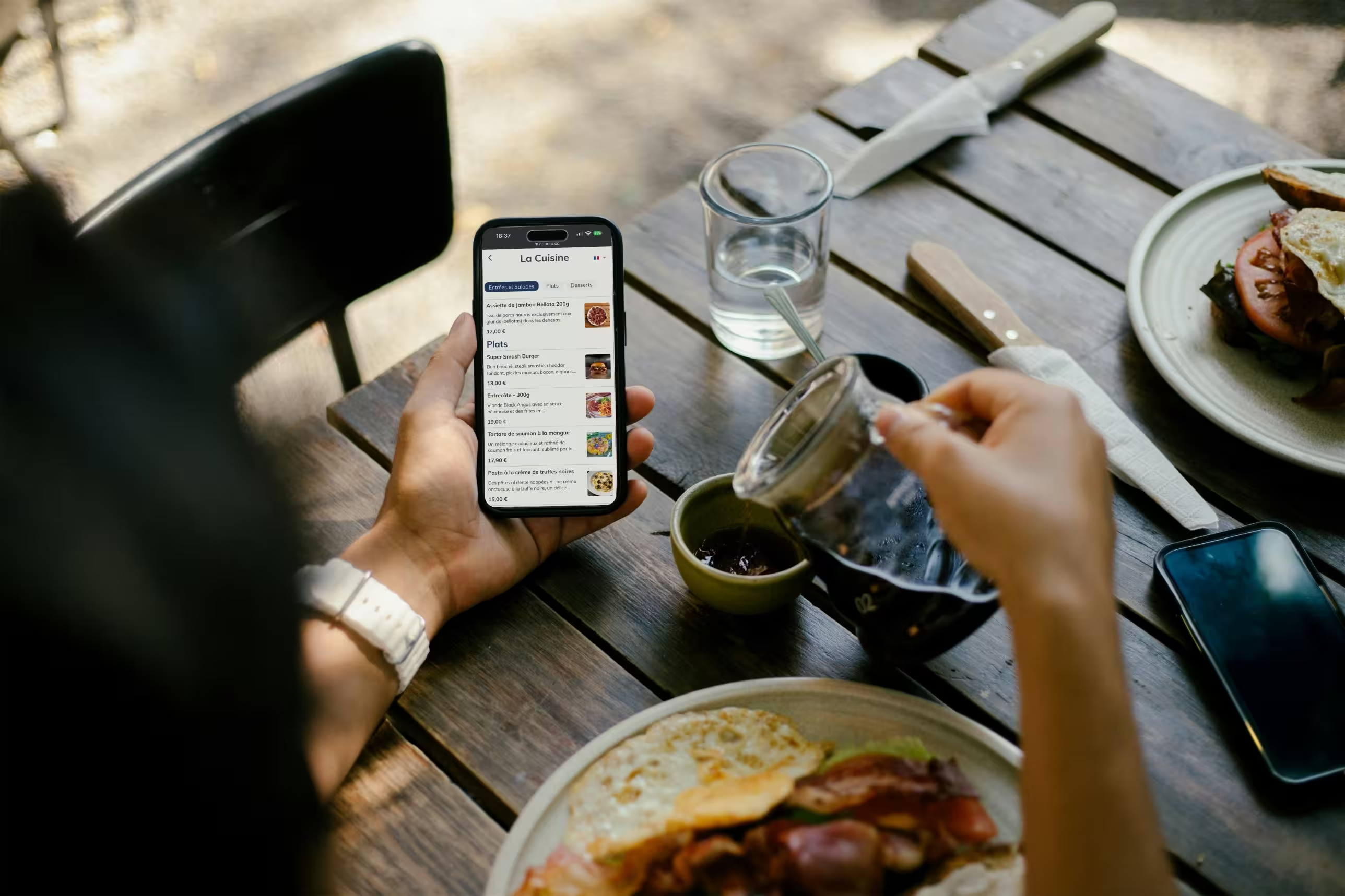
Guests point their smartphone camera, iPhone or Android, at the QR code on the table, at the bar or in their room. A page opens in the browser. No app to download, no account to create.
One menu per space, all in one place
In a hotel, the menu is organised by space: the restaurant menu, the bar menu, room service, breakfast. Each has its own categories, products and prices, but all are managed from the same interface. Guests reach everything from the same menu and pick the space they are interested in.
Static or dynamic QR code: the difference that matters
A static QR code points to a fixed link, very often a PDF. If the link changes, every support has to be reprinted. And a PDF is just a scanned paper menu: guests have to zoom, scroll and search.
A dynamic QR code goes through a platform that hosts your menu. The printed code never changes, while its content can be edited at any time. For a hotel with QR codes on every table, at the bar and in every room, it is the only workable option.
Manage the restaurant, bar and room service from one interface
The restaurant changes its menu with the seasons, the bar adds cocktails, room service runs on shorter hours, breakfast changes with occupancy. With paper menus, each space has its own documents to design, print and replace.
With a digital menu, everything goes through one back office, on a computer or a smartphone:
• A sold-out daily special can be hidden in one click, so your team no longer has to announce it table by table.
• A new cocktail appears on the bar menu as soon as it is created.
• A price or a description can be fixed without reprinting, and guests see the new version at their next scan.
You also save on printing. Between seasonal changes, corrections and worn-out copies, a paper menu can cost several hundred euros a year. A hotel that runs three or four menus multiplies that bill accordingly.
Allergens and translation: a clear menu for every guest
1. The 14 allergens shown product by product
In the EU, the INCO regulation requires restaurants to inform guests about the 14 major allergens in the dishes they serve. On a digital menu, you tag each product with its allergens and labels (vegetarian, gluten-free…), and the information appears on the product page the guest views. A recipe changes? You update the product without rebuilding the whole menu.
2. An automatically translated menu
Hotels welcome foreign guests by definition. With an automatically translated menu, the menu opens directly in the language of the guest’s phone, from the same QR code. Guests can also switch language themselves. Fewer explanations at the table, fewer misunderstandings, and no need to print one version per language. To go further, here are our strategies for restaurants in tourist areas.
Room service: an up-to-date menu in every room
The room service folder on the desk is often incomplete, worn or out of date. A QR code on a room table tent or in the welcome booklet gives access to the current menu, with photos and allergens.
Guests take their time choosing from their room, then call reception or the service team to place their request. They already know what they want: the call is shorter and mistakes are rarer.
Photos make a real difference, especially for guests who won’t see the dish before it arrives: pictures significantly increase orders for the items they feature. Our article on the impact of menu photos on sales explains this effect in detail.
One technical point to check: the menu loads online. Make sure your Wi-Fi covers every room and display the network name next to the QR code.
Sell more at the bar, in the restaurant and in the rooms
Hotel guests are already on site. In the evening, they hesitate between the hotel bar and a place down the street. At breakfast, between the basic option and an extra. These are sales opportunities your team doesn’t always have time to seize.
A digital menu takes over with suggestions in the right place:
• In the restaurant, a glass of wine suggested next to the dish, or a dessert highlighted at the end of the menu.
• At the bar, a sharing board next to the cocktails.
• In room service, a drink or a dessert suggested with the main.
• At breakfast, a fresh juice or a homemade pastry as an extra.
Showcase your local products too: regional wine, the chef’s speciality, a craft beer from nearby. That is often what travellers look for first.
Venues using Appero see on average +8% in sales thanks to suggestions and product highlighting. It is an average, not a guarantee: results depend on your concept, your photos and how your menu is structured. To put this into practice, here are 7 cross-selling combinations and 9 scripts to help your servers increase the average ticket.
7 criteria to choose your hotel digital menu
There are plenty of QR code menu solutions. Here is what to check before choosing, and what each point means for a hotel.
Dynamic QR code: the printed code stays the same when the menu changes. Essential when QR codes are spread across the dining room, the bar and the rooms.
A real mobile page, not a PDF: the menu must load fast and be readable without zooming. A PDF on a smartphone puts some guests off.
Several menus in one: restaurant, bar, room service and breakfast must sit side by side, each with its own categories.
Real-time updates: a change must show up immediately, including from a smartphone in the middle of service.
Translation and allergens: an automatically translated menu, shown in the language of the guest’s phone, with the 14 allergens filled in product by product.
Viewing statistics: knowing what your guests look at, so you can fine-tune your menus (see below).
Visual identity: logo, colours and photos that match the hotel, for a menu consistent with the rest of your venue.
Roll out your digital menu in 5 steps
1. List your spaces and structure each menu
Start with the list of spaces: restaurant, bar, room service, breakfast, terrace. For each, order the categories the way guests look for them. Don’t copy the paper menu as it is: use the opportunity to drop items that don’t sell.
2. Add photos, allergens and translations
Photograph your signature dishes first, along with the products you want to sell more of. Fill in allergens product by product, then translate the menu.
3. Place the QR codes in the right spots
On every table in the restaurant and on the terrace, at the bar, in every room, in the breakfast room. A poster near reception or the lifts also makes hotel guests aware of the bar and restaurant. Add a short line under the code, such as “Scan to see the menu”.
4. Test in real conditions
Scan every support on site: dim bar lighting, glare, Wi-Fi in the furthest rooms, iPhone and Android. A matte support prevents most scanning issues.
5. Brief your teams
Dining room, bar, reception: take five minutes to show the menu to each team. They are the ones who will guide hesitant guests and flag items to hide.
Good to know: keep a few paper menus for guests without a smartphone or who prefer to flip through pages. Digital and paper menus work fine side by side, and this is how most venues using Appero operate. We cover this choice in our article on the pros and cons of digital menus.
Use viewing data to fine-tune your menus
A paper menu tells you nothing. A digital menu shows you what your guests look at. With Appero, you track the number of menu users, views per product, where your visitors come from and clicks to your social media.
For a hotel, visitor origin is valuable: it tells you which languages to polish and which local products to highlight. Cross-checked with your till sales, views per product reveal a cocktail that gets lots of views but is rarely chosen, or a profitable dish nobody notices. You can then decide which products to move up, which suggestions to show and how to order your categories. That is the principle of menu engineering. To track the effect on your margins, our article on the 7 financial KPIs for restaurants gives you the right benchmarks.
You can try Appero for free in your venue.
Conclusion: one menu for every space
A hotel restaurant juggles several menus, languages and service constraints. A digital menu brings them together in one tool: one interface to update everything, a clear and translated menu for every guest, and suggestions that work at the bar as well as in the rooms.
Choose a dynamic solution, structure one menu per space, place your QR codes where guests make their choices and keep a few paper menus. Your menus then become a sales and management tool, not just documents to reprint. For an example applied to another format, see our guide to the QR code menu for brasseries.
FAQ
What is the difference between a digital menu and a PDF menu behind a QR code?
A PDF is easy to put online, but hard to read on a smartphone: slow loading, constant zooming, and a new file for every change. A digital menu is a web page designed for mobile: browsing by category, photos, allergens, translation and instant updates from a back office.
Do you need to reprint the QR codes every time the menu changes?
No, as long as you use a dynamic QR code. The code printed on the tables, at the bar and in the rooms stays the same, only the menu content changes.
Does a digital menu work without an internet connection in the room?
No. The menu is hosted online, so guests need mobile data or Wi-Fi to load it. Check Wi-Fi coverage in every room and display the network name near the QR code.
How do you handle unavailable dishes during service?
From the admin interface, a product can be hidden in seconds, even from your phone. It disappears straight away from the menu guests see. This avoids a guest choosing a dish the server then has to turn down.
Is a digital menu suitable for guests who aren’t comfortable with technology?
Yes, if the menu is simple and easy to read. Recent smartphones read QR codes directly with the camera, with no app. A short line of explanation under the code helps guests who are new to it, and a few paper menus remain useful for those who ask.