In a cocktail bar, the menu sells before the bartender does. What guests see, read and compare decides what they order, and how much they spend.
A digital menu puts your high-margin cocktails at the top, updates in seconds and shows you what your guests look at. Here is how to build one, what it should contain and what the law requires of a bar.
Digital menus for cocktail bars: a menu that sells at every service
Reading time: ~9 min
1. Key takeaways
2. How does a digital menu work in a cocktail bar?
3. Photos and descriptions: make guests want it before they choose
4. Structure your menu to push high-margin cocktails
5. The features to demand from a bar digital menu
6. Sell more: suggestions, upgrades and a no-alcohol option
7. Where to put the QR code in a bar
8. Allergens, prices, happy hour: what the law requires of a bar
9. What budget should you plan for a cocktail bar digital menu?
10. Conclusion: a bar menu that works for you
11. FAQ
Key takeaways
• How it works: guests scan a QR code and browse the menu on their smartphone, with no app. You edit everything from a back office, with no reprinting.
• Menu: signature cocktails first, a photo and a short description on every item, classics and no-alcohol cocktails right after.
• Sales: suggestions, upgrades and highlighting of high-margin products. Venues using Appero see on average +8% in add-on sales.
• Law: allergens filled in product by product, and a price display to keep alongside the QR code.
• Budget: a subscription from €490 a year, with no commission.
How does a digital menu work in a cocktail bar?
Guests scan the QR code on the table or at the bar with their smartphone camera. The menu opens in the browser, with no app and no account to create. Signature cocktails, classics, beers, wines, soft drinks, bar snacks: everything sits in the same menu, sorted by category.
Unlike a paper menu or a PDF, the menu can be edited at any time from a back office, on a computer or a smartphone. Guests see the new version at their next scan. A sold-out cocktail can be hidden in one click, and a new creation appears with its photo as soon as it is ready.
A digital menu is therefore not just a stand-in for the paper menu. It is a tool to manage your offer.
Photos and descriptions: make guests want it before they choose
Pictures significantly increase orders for the items they feature. That is even truer for a cocktail, where presentation is part of the promise: the glass, the garnish, the colour.
Compare “gin, tonic water, cucumber” with a great photo and “fresh and green, light bubbles, hints of coriander”. The second makes you want it, the first makes the guest ask the server for advice.
A professional photo shoot gives the best results. To start, a well-framed smartphone photo in good light beats a cocktail with no picture: our smartphone food photography guide shows how. The impact of menu photos on sales is covered in another article.
Three things are enough for a description: the base (rum, mezcal, gin, vodka), the dominant flavour and, if you like, a pairing with a snack or a sharing board. One line is enough. A guest who knows what they are ordering hesitates less and is more likely to order a second round.
Structure your menu to push high-margin cocktails
The order of your menu is a commercial decision, not a design choice. Put signature cocktails and house creations first, in a section visible as soon as the menu opens. They are usually the ones that combine the best margin with the biggest difference from the bar next door.
Here is an order that works:
• Signature cocktails first, with photo and description
• Reworked classics next, to reassure less adventurous guests
• No-alcohol cocktails, presented with the same care
• Beers, wines and soft drinks in separate sections, easy to find but less prominent
• Happy hour and special offers in a visible block, with the time shown
This is the principle of menu engineering: put high-margin products where the eye lands first. A digital menu goes further than paper because it shows what is actually viewed. With Appero, you track the number of menu users and views per product.
Cross-checked with your till sales, this data speaks for itself. A cocktail with lots of views but few sales has a price or description problem. A profitable cocktail nobody looks at deserves a better spot. To set your prices, here are our 10 menu price psychology tips, and to go further, menu engineering made simple.
The features to demand from a bar digital menu
Not all solutions are equal. Here are the ones with a direct effect on your revenue and your organisation.
Photos and descriptions per product: to showcase premium cocktails and push high-margin items.
Real-time updates: a sold-out cocktail or a corrected price shows at the next scan, from your computer or your smartphone.
Time-based display: happy hour or late-night menu visible in the right time slots, with no handling in the middle of service.
Automatic translation: the menu opens in the language of the guest’s phone, and guests can switch language themselves. Useful with passing trade, see our strategies for restaurants in tourist areas.
Allergens: the 14 regulated allergens filled in product by product.
Viewing statistics: menu users, views per product, where visitors come from and clicks to your social media.
Visual identity: logo, colours and photos that match your bar.
Handling sold-out items deserves special attention in a cocktail bar. A missing spirit can make several cocktails impossible. Hide the affected items from the back office: every guest sees an up-to-date menu, without the server having to announce it at each table.
Sell more: suggestions, upgrades and a no-alcohol option
A paper menu presents items passively. A digital menu can highlight the premium version of a classic, suggest a pairing with a snack or a sharing board, or flag that a signature cocktail also comes in a no-alcohol version. That last option also appeals to guests who are not drinking that night.
These suggestions don’t replace the bartender. They work quietly while the guest reads the menu. Venues using Appero see on average +8% in add-on sales thanks to suggestions and product highlighting. It is an average, not a guarantee: results depend on your concept, your photos and how your menu is structured.
The average ticket also follows the clarity of your descriptions. A guest who sees the cocktail in a photo and reads a short description hesitates less, and is more willing to try an item they wouldn’t have picked from a paper menu. To put this into practice, here are 5 levers to grow your add-on sales with the QR code menu and 7 cross-selling combinations.
Key point: a QR code on the table is not enough. The structure of the menu, the quality of the visuals and regular updates are what make the difference to your margins.
Where to put the QR code in a bar
The support matters as much as the menu. In a dimly lit bar, a glossy support throws back glare and blocks the scan. Choose a matte finish and test the scan in the evening, on site, in real conditions.
• Tables and high tables: table tent, sticker or coaster, with a short line such as “Scan to see the menu”
• Bar counter: a support near the stools, for guests who drink standing up
• Terrace: a moisture-resistant support, also tested in full sun
• Entrance or window: a poster so people can check the menu before coming in
Our guide to the QR code menu for brasseries goes through the support formats in detail.
Allergens, prices, happy hour: what the law requires of a bar
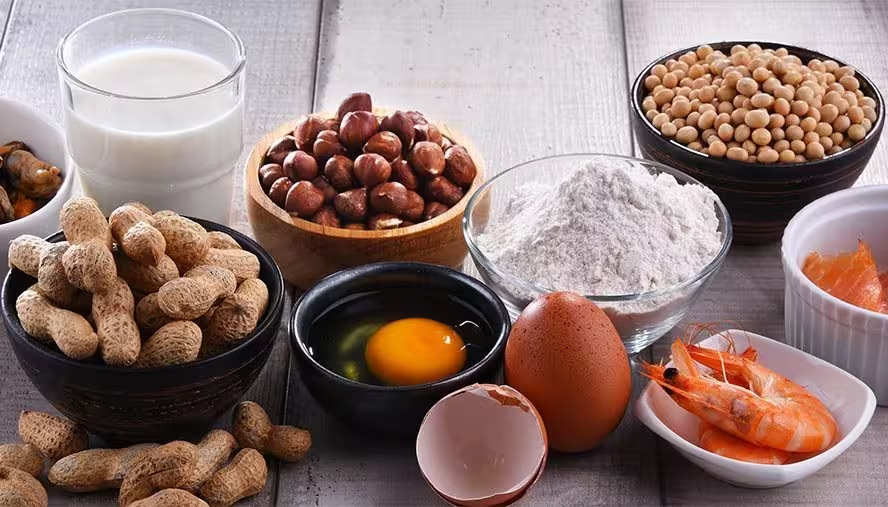
Allergens. The EU INCO regulation requires you to inform guests about the 14 major allergens. A cocktail contains more of them than you might think: egg white in a sour, cream or milk in a creamy drink, almond orgeat, sulphites in wine and vermouth. Tag each cocktail with its allergens and update the page when a recipe changes.
Prices. In France, prices must be displayed including all taxes and service. A bar must also display the prices of its most-served drinks outside and, inside, the list of drinks with their prices. A digital menu complements this display, it doesn’t replace it. Keep a sign or a paper menu in view, and a few copies available for guests without a smartphone.
Happy hour. Reduced-price offers on alcoholic drinks are regulated: price advertising must also cover non-alcoholic drinks. Plan for this in the happy hour section of your menu.
What budget should you plan for a cocktail bar digital menu?
Plan for a subscription and a few supports. Free options exist, but they are often limited to a QR code that links to a PDF, with no statistics and no product highlighting. Appero works on a subscription basis, from €490 a year, with no commission.
Set this cost against what you already spend on printing. Design, printing, lamination, replacing stained copies: between seasonal changes, corrections and worn-out supports, a paper menu can cost several hundred euros a year. Managing your restaurant costs includes this too.
On top of that comes the effect on add-on sales, which depends on your menu and your visuals. You can try Appero for free in your venue.
Conclusion: a bar menu that works for you
A digital menu is not a gadget reserved for trendy bars in big cities. It is a management and sales tool for any venue that wants to showcase its best items, cut printing costs and give guests a smooth browsing experience.
Take care of your visuals, put the cocktails that make your margin first, schedule your offers, keep a price display and a few paper menus. Your menu then works at every service, with no page to reprint. To weigh the pros and cons, read our article on the pros and cons of digital menus. Running a hotel bar? See our guide to the digital menu for hotel restaurants.
FAQ
Can a bar digital menu work without an internet connection for the guest?
No. The menu is hosted online, so guests need mobile data or Wi-Fi to load it. Offer Wi-Fi in the venue and display the network name near the QR code, especially in basements or areas with poor coverage.
Do you need special equipment to roll out a digital menu in a bar?
No. The menu relies on the guest’s smartphone and a simple QR code support on the table or at the bar. No extra screen or terminal is needed.
Can you have a happy hour menu and a late-night menu?
Yes. You schedule the display of a section or a menu in set time slots, for example the happy hour section from 6pm to 8pm. Guests always see the menu that matches the moment.
Does the QR code replace the mandatory price display?
No. It complements the display, it doesn’t replace it. Keep a display of your most-served drinks’ prices outside and a menu available inside. If in doubt, your local consumer protection office (DDPP) can answer.
How does a digital menu help collect guest reviews?
You add a link to the review page of your choice, Google or TripAdvisor for example. Guests find it while browsing the menu, when the experience is still fresh. Our Google Business Profile guide for restaurants explains how to look after that page.
Can a multi-venue bar group manage several menus from one back office?
Yes. You manage several venues from one central interface, and can adapt the menu for each location while keeping a consistent brand. It is an asset for bar groups and franchises.